
🧹
Cleanup
Scans system temp files, browser caches, logs, and custom rules in responsive 25-file batches, showing exact space freed per drive.
100% Free • Windows 11 (x64) • No Ads or Telemetry
ClearDeck is a lightweight, transparent Windows maintenance app. Preview every temporary file, storage hotspot, registry reference, and app leftover before anything is touched.
Designed with a clean Windows 11 Inspectable Glass interface—no scare tactics, no hidden background services.
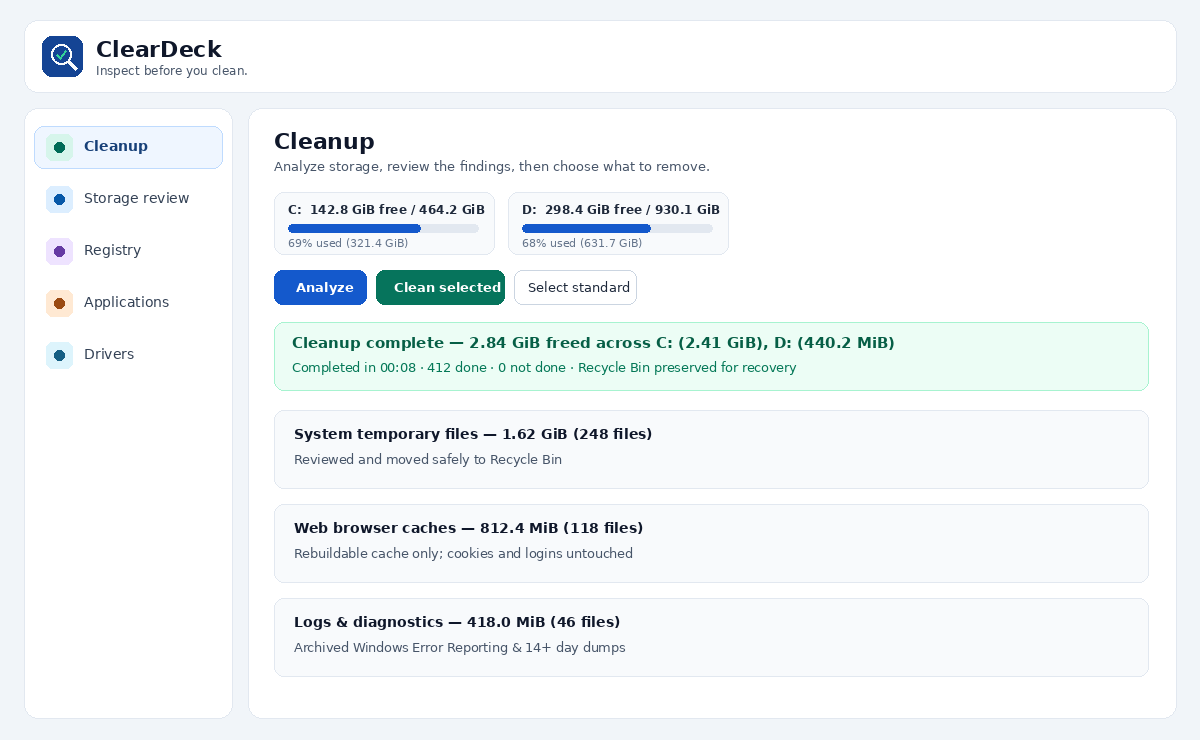
Cleanup: Analyze by category, see exact GiB freed per drive, and keep Recycle Bin recovery.
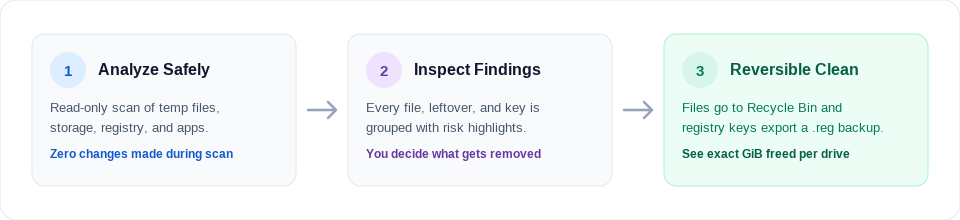
Every module follows the same three-step transparent workflow.
Everything you need for routine Windows upkeep, without installing five separate utilities.
Scans system temp files, browser caches, logs, and custom rules in responsive 25-file batches, showing exact space freed per drive.
Locate large files and dormant folders without deleting anything automatically, so you can archive or remove them on your terms.
Detects orphaned references and highlights risky system-wide entries in amber. Always exports a restore `.reg` backup first.
Uninstall desktop apps directly, simulate removals, and review a risk-prioritized report of leftover files and folders.
Queries official Microsoft Update and Microsoft Update Catalog by Hardware ID—no third-party driver bundles.
Yes. ClearDeck is completely free to download and use, with no ads, no bundled offers, and no background telemetry.
Independent Windows installers display a SmartScreen prompt until they build download reputation. You can verify the installer's integrity using the published SHA256SUMS.txt file.
No. The Windows installer is self-contained and bundles the .NET 8 runtime out of the box.
Email cyril.aschenbrenner@gmail.com with your Windows version and a brief description.